
Formuler Z TV Box Setup Guide
Formuler boxes come with MyTVOnline app pre-installed, offering a premium IPTV experience with EPG and catch-up support.
Step-by-Step Instructions
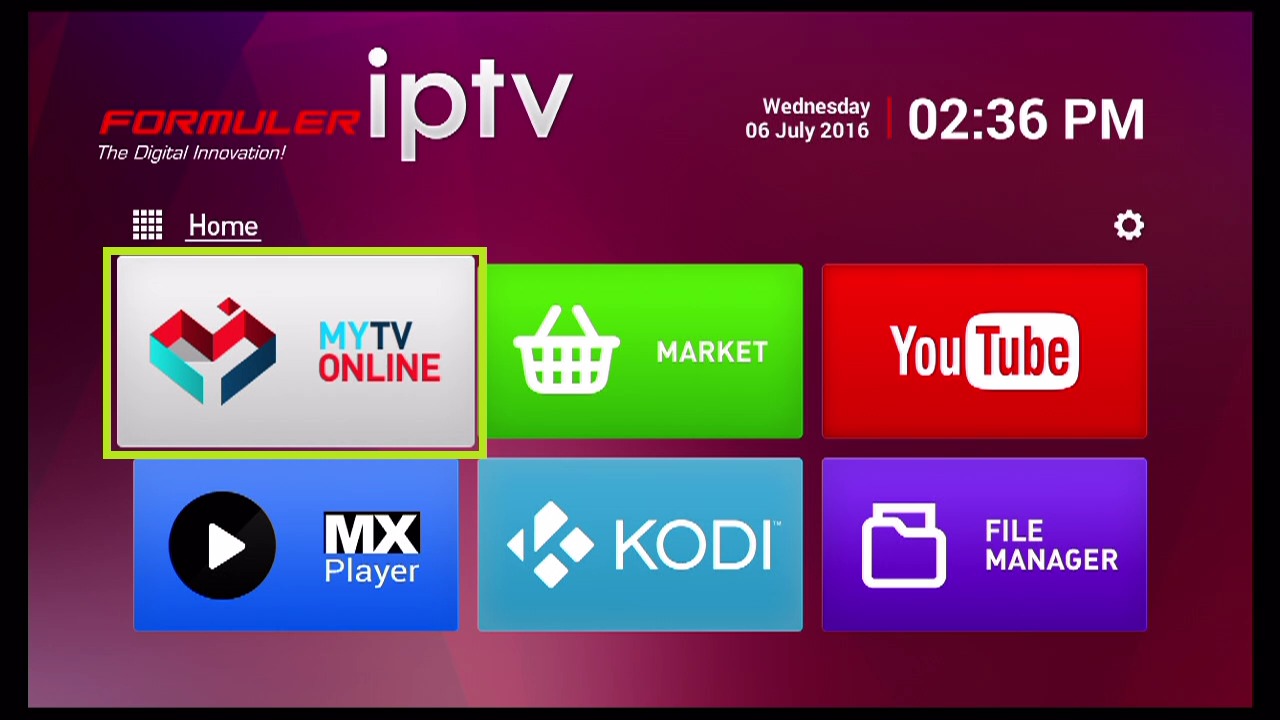
Open MyTVOnline
From the Formuler home screen, open the MyTVOnline or MyTVOnline2 app.
Add Portal
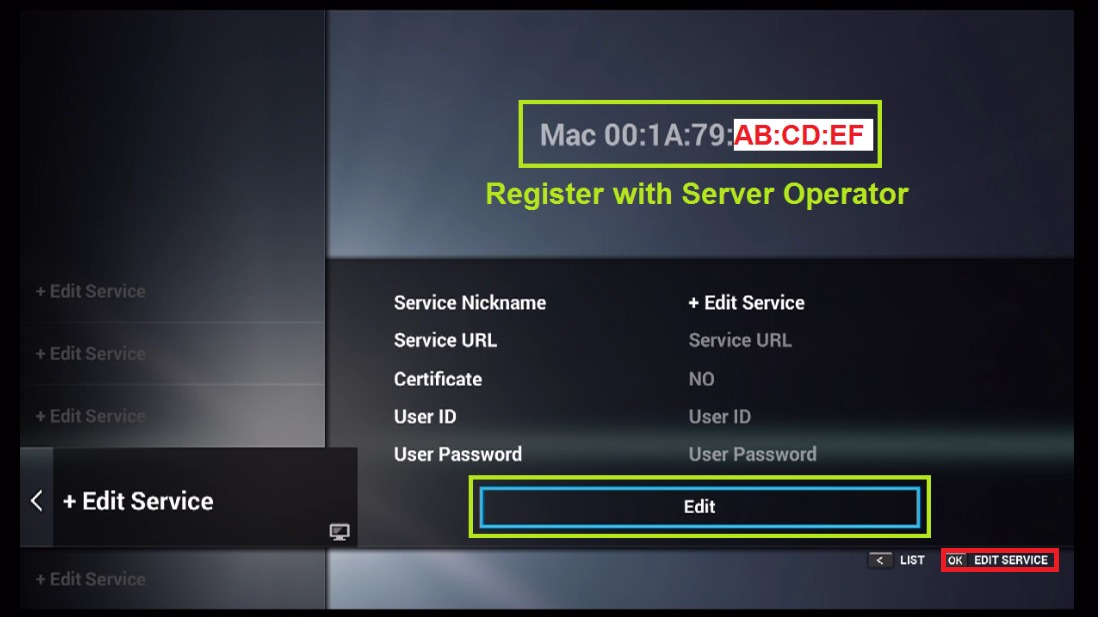
Press the menu button and select "Add Portal" or go to Settings > Portal.
Enter Portal Information
Choose "Stalker Portal" as the portal type. Enter "Fox IPTV" as the nickname and paste your portal URL.
Connect
Save the settings and select the portal to connect. Your channels will load automatically.
Setup Complete!
Your Formuler Z TV Box is now configured with Fox IPTV. Enjoy watching your favorite channels and content!
Pro Tips
- Formuler devices support both M3U and Portal connections
- Enable "Auto-start" in settings to boot directly into IPTV
Need Help?
Contact our team via WhatsApp or the contact page with your device model, operating system version and player.
Quick Navigation



Don't Have a Subscription Yet?
Get started with a 24-hour free trial and experience premium IPTV on your Formuler Z TV Box.