
Net IPTV Setup Guide
Net IPTV is an affordable alternative to Smart IPTV, supporting playlist upload via MAC address activation.
10 minutes
Easy
Supported Devices:Samsung Smart TVLG Smart TVAndroid TV
Step-by-Step Instructions
1
Install Net IPTV
Download Net IPTV from your TV's app store. The app offers a 7-day free trial.
2
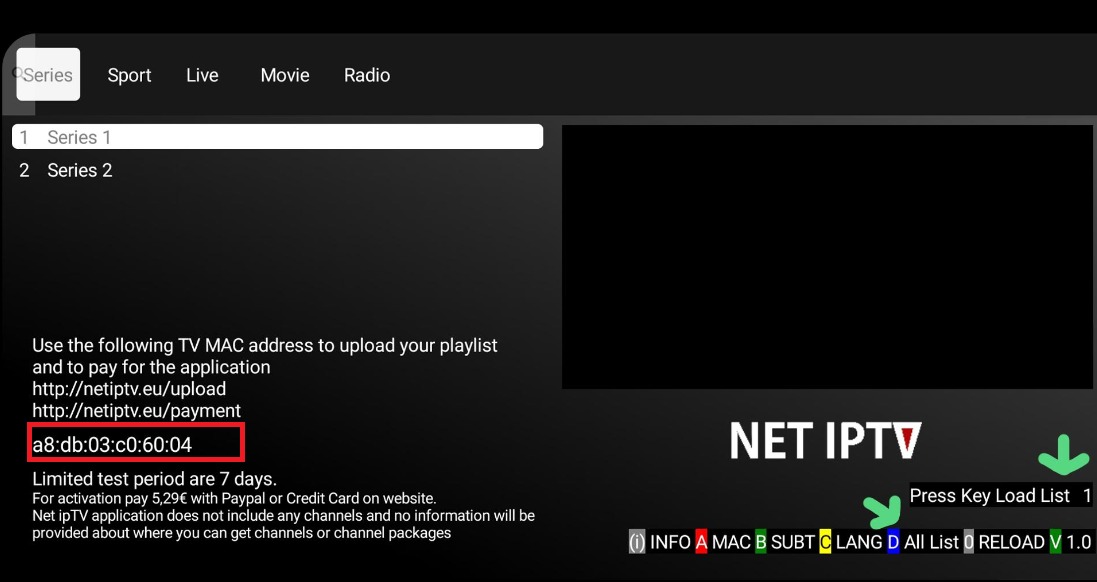
Get Your MAC Address
Open the app and note down the MAC address displayed on screen.
3
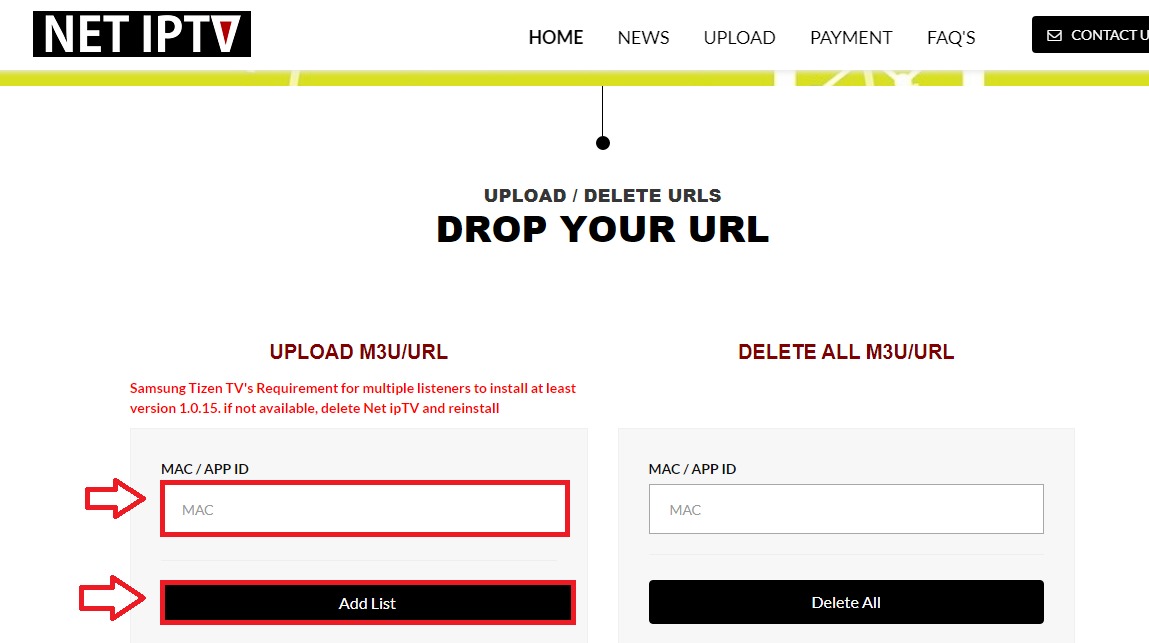
Add Playlist Online
Visit https://netiptv.eu/panel on your computer. Enter your MAC address and M3U playlist URL.
4
Activate and Restart
Click submit and restart the Net IPTV app on your TV. Channels will load automatically.

Setup Complete!
Your Net IPTV is now configured with Fox IPTV. Enjoy watching your favorite channels and content!
Need Help?
Contact our team via WhatsApp or the contact page with your device model, operating system version and player.




Don't Have a Subscription Yet?
Get started with a 24-hour free trial and experience premium IPTV on your Net IPTV.