
VLC Media Player Setup Guide
VLC is a free, open-source media player that can play IPTV streams on Windows, Mac, and Linux.
Supported Devices:WindowsMacLinux
Step-by-Step Instructions
1
Download VLC
Download and install VLC Media Player from videolan.org.
2
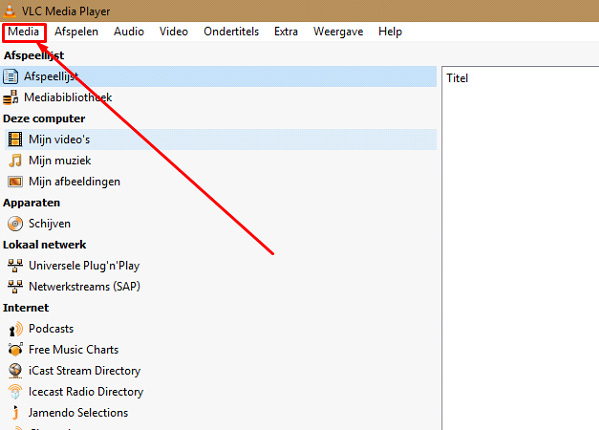
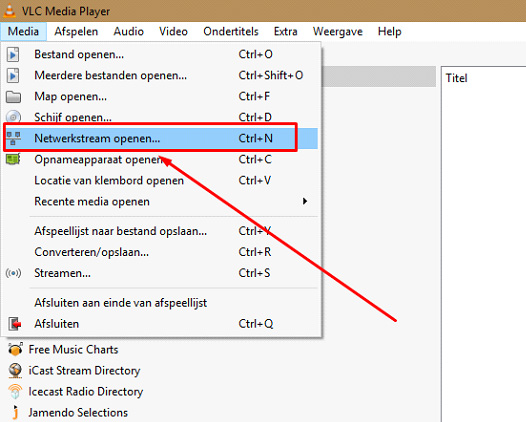
Open Network Stream
Open VLC and go to Media > Open Network Stream (Ctrl+N on Windows, Cmd+N on Mac).
3
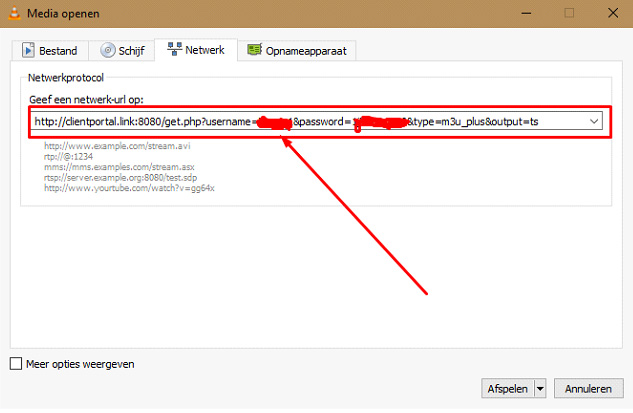
Enter M3U URL
Paste your M3U playlist URL from the welcome email into the network URL field.
4
Play
Click "Play" to start streaming. VLC will load the playlist and begin playing.
5
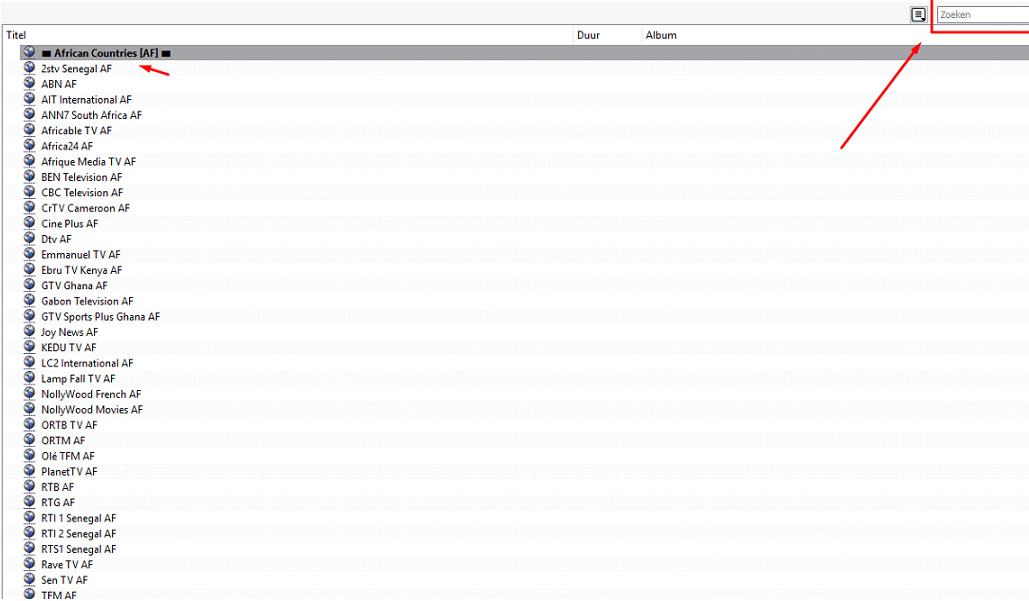
Browse Channels
Go to View > Playlist to see all available channels. Double-click any channel to watch.
Setup Complete!
Your VLC Media Player is now configured with Fox IPTV. Enjoy watching your favorite channels and content!
Pro Tips
- Use Ctrl+L to show/hide the playlist
- Increase network caching in Preferences for smoother playback
- VLC can record streams using the Record button




Don't Have a Subscription Yet?
Get started with a 24-hour free trial and experience premium IPTV on your VLC Media Player.